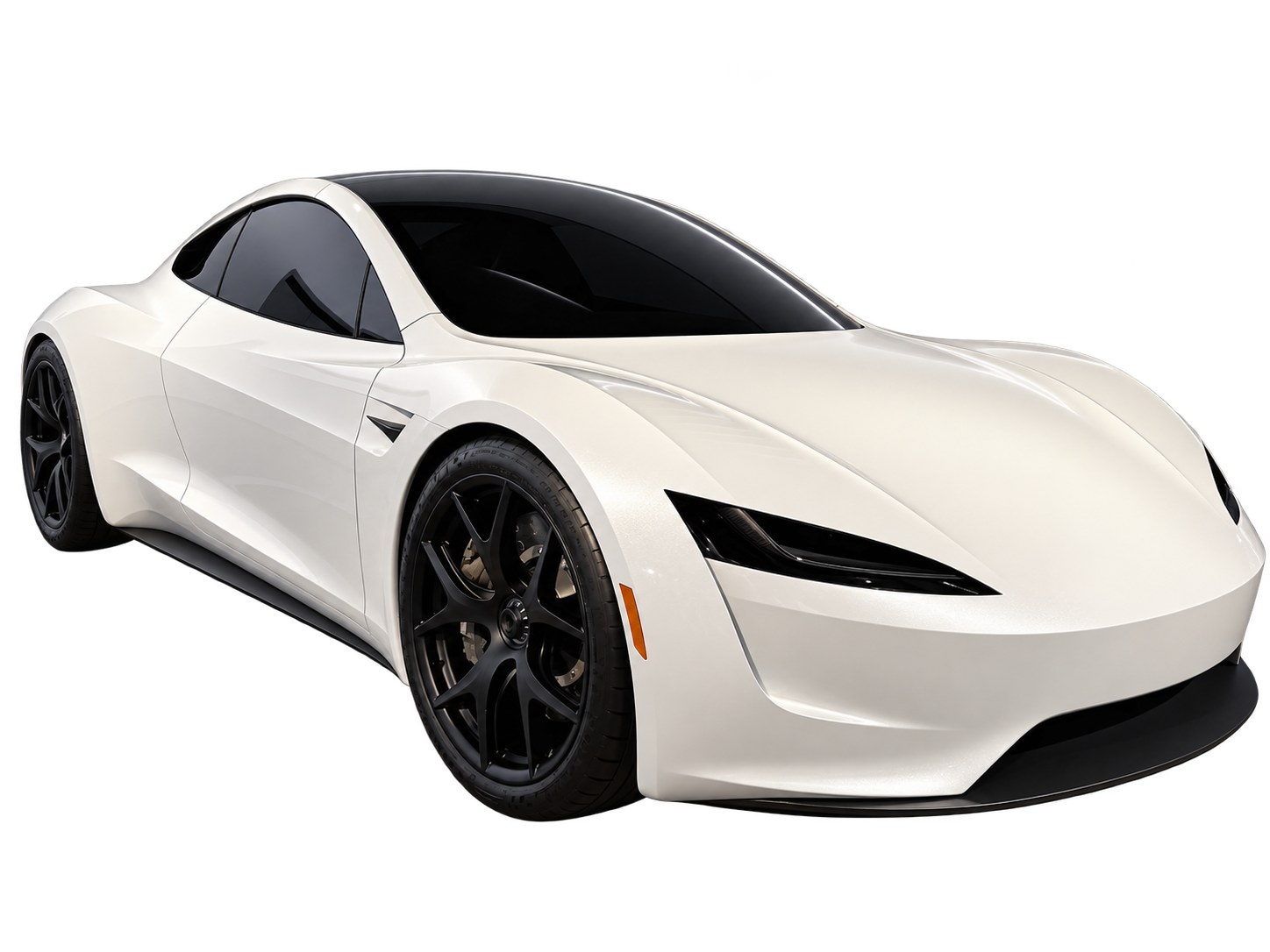
To create your own flying electric sports car for an AI video, begin with a vehicle that has a reason to look the way it does. A low nose, oversized wheels, four exposed fans and a tiny cabin may each look interesting separately. Put them together without a plan and the car can become a collection of unrelated parts.
This guide is about an original fictional vehicle and its visual continuity. A generated concept is not a buildable car, a validated aircraft design or evidence that an imagined propulsion system would work. The useful output is a clear design idea that remains recognizable while it moves.
Write a purpose before writing a parts list
Decide who the fictional vehicle is for and where it operates. A compact two-seat sports car taking short flights between isolated test pads creates a different design problem from a large passenger pod travelling between towers. Purpose gives you a basis for accepting or rejecting visual details.
For a sports-car concept, consider the relationship between cabin, wheels and body length. A driver needs an identifiable place in the silhouette, even if no person appears in the shot. The vehicle should look as though its major pieces belong to one scale.
Choose two or three identity features, such as a low continuous roofline, a single rear light band and a particular wheel shape. Keep these stable while experimenting with the setting. If every iteration changes both the body and the world around it, you lose a fair way to compare the ideas.
Pick one visual explanation for flight
Decide how the fictional car appears to leave the ground: visible lift units, concealed jets, folding surfaces or a deliberately unexplained science-fiction effect. None of these choices needs to claim engineering validity. It does need to remain coherent within the film.
If lift hardware deploys, make room for it in the opening design. A wheel should not turn into a fan simply because both shapes are circular. A door should not change into a wing unless transformation is an explicit part of the concept. Treat the deployed and stowed states as two views of the same vehicle.
If the flight mechanism stays hidden, the movement has to explain more. A readable gap beneath the car, a stable orientation and a consistent shadow can establish the fictional lift without filling the image with new equipment. Restraint can make the design easier to evaluate.
Make electric identity a design choice rather than a glowing stripe
An electric sports car does not need every surface covered in blue light. Think instead about how you want the body to communicate its function: a smooth front, a compact cabin, restrained openings or a clean rear arrangement. These are visual decisions for your concept, not universal technical rules for electric vehicles.
Use a small number of repeated shapes. If the front lamps are narrow and horizontal, a similarly restrained rear treatment can make the design feel related from both ends. Adding a different visual language to every panel gives an AI system more conflicting details to resolve during movement.
Material choices should also have a hierarchy. Choose a main body finish, a secondary trim and, if needed, one accent. When everything is reflective, luminous or moving at once, it becomes hard to tell whether a changing surface is an intentional feature or a generation error.
A personal design needs a reference strategy
Text-only generation is useful when you want to explore a fictional outline. One authorized reference image is useful when you already have a sketch or a clear picture of the design you want to preserve. A sketch can guide appearance, but it does not turn the service into a CAD system or a multi-view reconstruction tool.
When choosing a reference, prioritize a readable outline over a dramatic background. A clean side or three-quarter view makes the proportions easier to inspect. If your sketch leaves the rear unresolved, a long camera orbit will ask the model to invent it. A smaller viewpoint change is a more modest request.
Keep source images and iteration notes outside the generator as your own design record. The site's reference uploads are temporary, and the current workflow uses one optional image rather than a synchronized set of front, side and rear views.
Review the concept in three separately planned views
A useful review plan has an establishing view, an action view and a final inspection view. You can plan them as separate clips and assemble them later in an editor. Do not assume separate generations will match perfectly just because the same description appears in each.
- Establishing view: make the roofline, wheel positions and main body proportions easy to see.
- Action view: choose one deployment or lift and watch which parts remain attached and stable.
- Inspection view: return to an angle that lets you compare the result with the opening design.
A three-view plan does not require three different camera tricks. Repeating a useful angle can reveal more than adding another orbit. If a device disappears or a cabin changes shape, log the specific inconsistency rather than requesting a generally “more realistic” version.
Keep an original concept separate from a Tesla recreation
If you mean a specific Roadster, identify which design you want and use appropriate sources. If you mean your own vehicle, describe its proportions and identity instead of relying on a manufacturer name to fill in missing decisions. “Tesla generator” is ambiguous shorthand; the clearer task is either making a fictional Roadster video or developing an original car concept.
The same distinction matters in the title and cover. Present a new fictional design as your AI concept, not a leaked vehicle, official announcement or confirmed future model. Avoid combining a recognizable manufacturer's badge with claims of an upcoming release that you cannot support.
For the setting around the design, see our futuristic car scene guide. For a dark finish, the black flying car lighting guide helps keep the outline visible. Then bring your own brief to the creator: text starts empty, the image is optional and you choose a 5–30 second silent vertical MP4.
These are editorial planning recommendations, not results from a controlled model test. AI output varies; a description or reference photo cannot guarantee a specific result. Flying Car AI is independent and is not affiliated with, endorsed by or sponsored by Tesla, Inc. or any vehicle manufacturer.