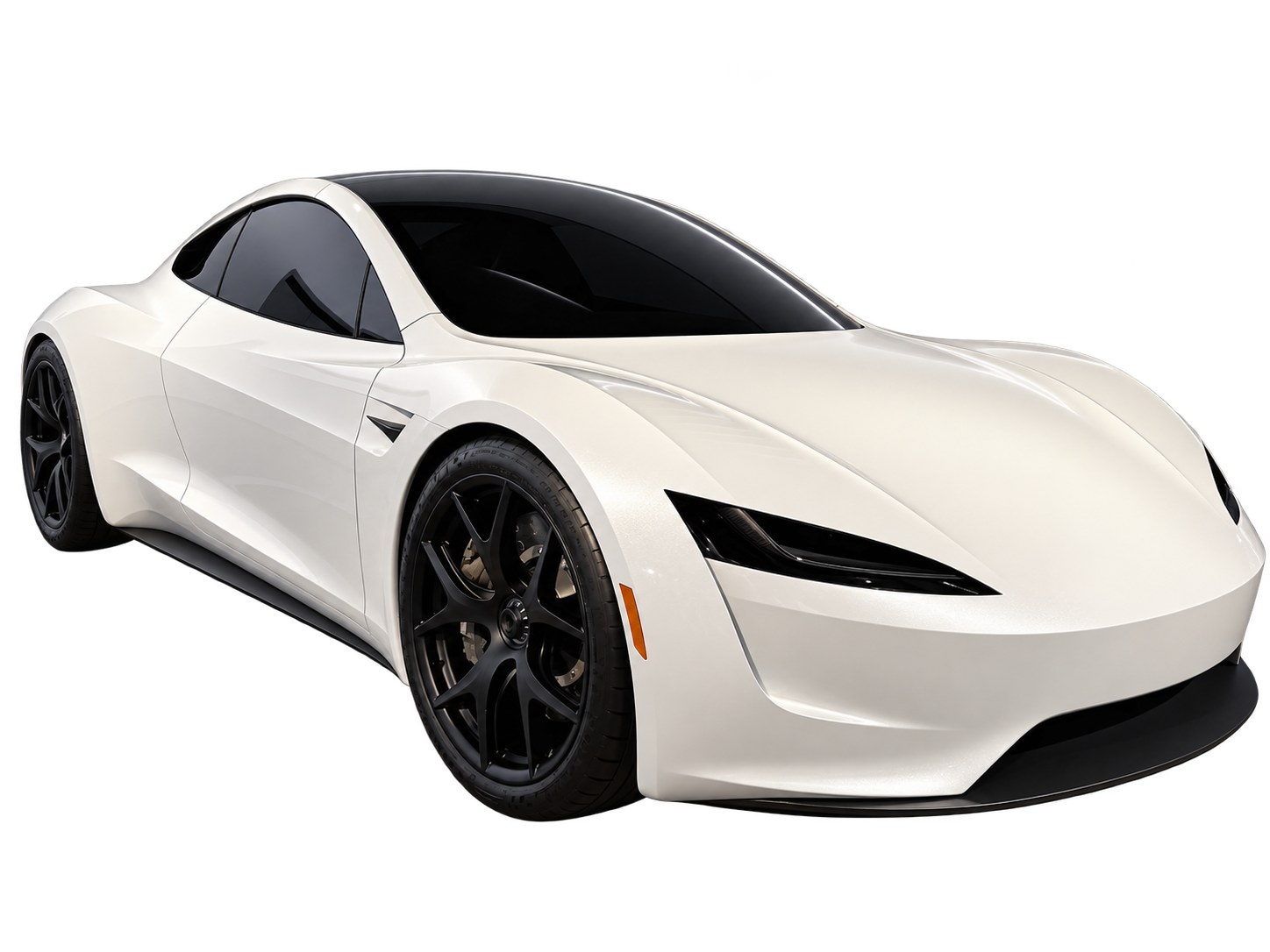
For custom AI car videos, use text when the scene matters more than the identity of a particular car. Add a reference photo when recognizable bodywork, paint or proportions are central to the idea. The difficult part is deciding which details must survive the camera move. One photograph cannot show every side of a vehicle.
First decide what “my car” means in this video
A fictional red sports car and a faithful portrait of your own red sports car are different assignments. In the first, the vehicle can change slightly without ruining the scene. In the second, the roofline, headlights or wheels might be the reason you are making the video at all.
Before choosing an input, identify two or three visible features that matter. For an owner, that could be the silhouette, body colour and wheel style. For a fictional scene, it might be only the size and general shape. This is a practical way to judge the result later: “the car looks wrong” becomes a specific observation about a feature you can actually see.
Do not make a hidden detail an acceptance requirement. If the shot shows a vehicle from behind, the front grille cannot establish its identity. Choose the camera angle before deciding which details to protect.
When text alone is the better starting point
Text is useful when you need freedom over the place, time of day or camera position. A small coupe hovering above a flooded road does not need to match a particular parked car. Starting without a photograph avoids bringing an unrelated driveway, hard sunlight or nearby vehicles into the reference.
That freedom comes with a trade-off: appearance is described rather than directly shown. Identify the vehicle type, colour and broad proportions, then spend the remaining description on the action. A long equipment list does not explain where the car is going or how the camera sees it.
Flying Car AI starts with an empty prompt and supports text-only generation. There is no requirement to upload a selfie or select a preset. For help organizing your description, use the prompt-writing guide.
When a reference photograph earns its place
A photograph is useful when it supplies information that would be awkward to describe: an unusual body shape, a distinctive paint combination or the proportions of an older vehicle. It is less useful when the car is tiny, partly obscured or lost among other subjects.
Use one authorized image with the whole intended vehicle visible. A front three-quarter view can show both the side profile and front shape; a side view may be more useful when the entire movement crosses the frame. These are choices to match the shot, not a rule that one angle always produces better generations.
Look at the background too. A car reflected in a shop window introduces a second image of the subject. A close crop may hide the wheels needed to understand a takeoff. If the photo does not clearly explain the vehicle's shape, taking another photo can be more useful than adding more text.
Keep the camera close to what the photo actually shows
Suppose your image shows the front-left side of a hatchback. A short lift viewed from roughly that direction asks for fewer unseen details than a full orbit followed by a view underneath the car. An orbit requires the model to invent the rear, opposite side and changing reflections.
This does not make complex movement impossible. It changes the amount you need to inspect. If recognizable appearance is the priority, start with a fixed view or a modest tracking movement. If spectacle matters more, you may accept greater variation. Decide that trade-off before spending time on repeated attempts.
Review three moments, not just the opening frame
- At the start: check the roofline, paint and visible wheels against the reference.
- During movement: watch the point where the car rotates or crosses an obstacle. Look for stretched panels, disappearing wheels or a changed silhouette.
- At the end: confirm the vehicle still looks like the same object and the final position makes sense.
A strong first frame does not compensate for a body that changes halfway through. Conversely, a small background difference may be harmless if the car remains recognizable and the movement reads clearly. Judge the clip against the purpose you set, rather than treating every difference as equally important.
What stays fixed when you use another credit?
Each credit can use a different scene prompt. The chosen length belongs to the order and is reused for its additional videos; unused credits do not expire. If the order has a reference image, it can guide another scene while the provider reference remains available.
Reference uploads have a 24-hour provider retention period. If the reference expires, replace it on the result page or continue without it for text-only generation. Save your own original image. A working order link and unused credits do not mean the provider keeps the photo indefinitely.
The output is a silent, watermark-free 9:16 MP4 at your chosen length of 5–30 seconds. Add any caption or audio separately. Review the render before publishing; the reference does not guarantee an exact replica of your vehicle.
Anatomy of a usable reference photograph
Most disappointing photo-guided renders trace back to the photograph rather than the prompt. One static image gives the model silhouette, stance, colour and proportion — but only from one angle, under one light. Choose the frame that hands over the most information:
- Front three-quarter view. Shows the roofline, one flank, the bonnet and one wheel face at once. A straight-on shot hides the proportion that makes a car recognisable in motion.
- Wheels fully visible, not cropped. Wheel design is what most viewers identify second, after colour, and it is the detail models lose first.
- Even daylight, no direct flash. Blown highlights destroy panel lines; deep shadow destroys the stance. Overcast light is the most forgiving.
- The car fills most of the frame. Everything around it competes for attention and can be imported into the generated scene as background.
- Clean, simple surroundings. A cluttered driveway often turns into clutter that follows the car into the fictional shot.
Acceptable formats are JPEG, PNG, WebP and HEIC up to 10 MB, and one image per generation — there is no second slot to contradict the first. If your one photo is a poor-positioned side-on snap, text-first is usually better than fighting it: write the silhouette you want and let the model build the angle that suits the action.
The same scene written both ways
The clearest way to decide is to write the shot twice. Both versions below ask for the same fifteen-second scene; only the input changes.
Text-only version: “Afternoon light on an empty coastal road, camera at kerb height. A low silver two-seat sports car cruises along the lane, rises smoothly to about three metres, crosses above a low stone bridge and settles back onto the empty road beyond it. Four attached wheels, ground shadow follows the car, no wings or propellers, no text, no cuts.”
Photo-guided version: the same five sentences, followed by “match the reference photograph for body shape, wheel design and paint colour; keep camera distance constant.” Nothing else changes. Keeping the two variants identical except for the photograph reference is what makes the next credit interpretable: any difference you see came from the input, not from a rewritten scene.
When the photo version comes back worse, the cause is nearly always one of three things: the source angle conflicts with the camera line you asked for, the background of the photo disagrees with the setting you described, or the movement is too complex to preserve detail through it. Shorten the move before you abandon the photo entirely.
Last reviewed
Editorial note: these are scene-planning recommendations, not results from a controlled model comparison. AI output varies. Flying Car AI is independent and is not affiliated with, endorsed by or sponsored by Tesla, Inc. or any vehicle manufacturer.